
Any source
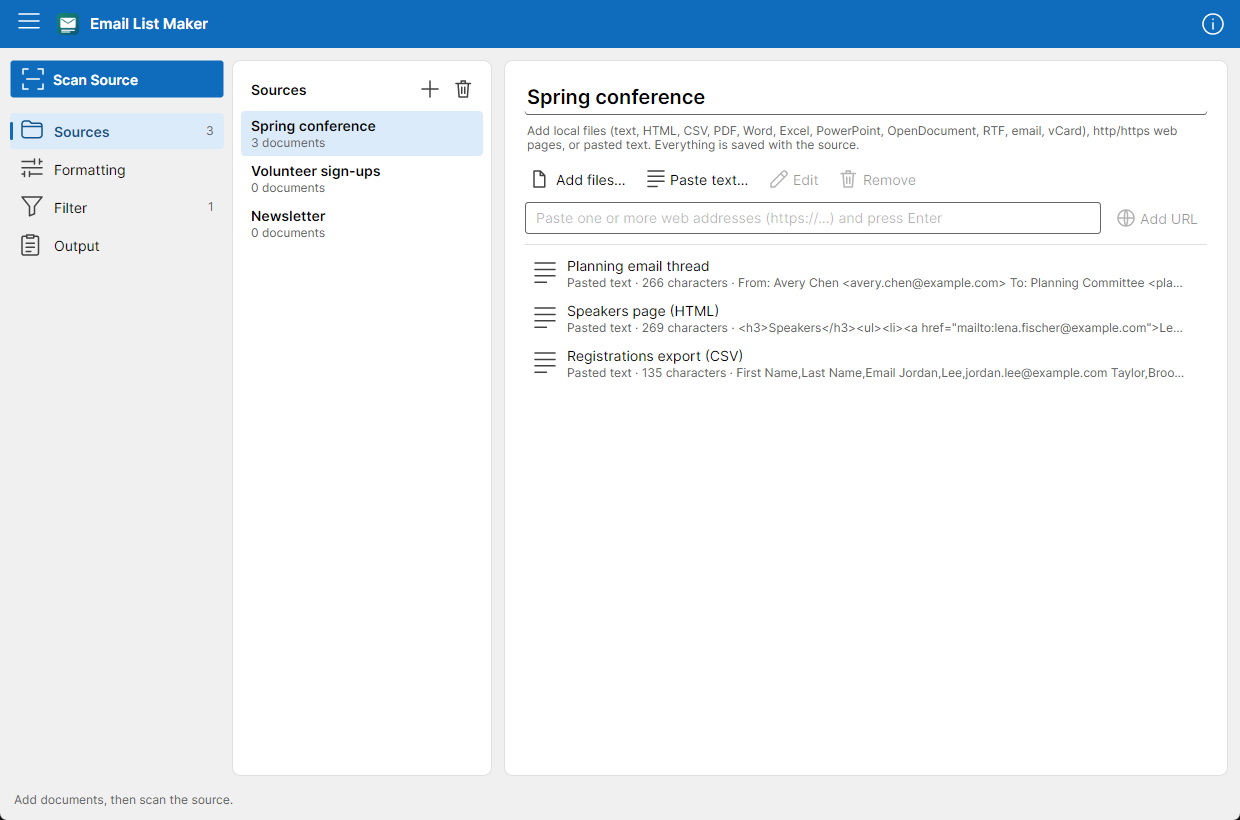
Text, HTML, CSV, PDF, Word, Excel, PowerPoint, OpenDocument, RTF, saved emails and contact cards from your computer; pages from the web; or text you paste straight in. Add several at once and keep them together as a source.
 For Windows, macOS and Linux
Email List Maker finds the email addresses, and the names that go with them, in your documents, web pages and pasted text. Then it writes them as a tidy list in your format, ready to paste into any email client.
Microsoft Store · Mac App Store · Linux x64 and Arm64
Your documents
From: Avery Chen <avery.chen@example.com> … adding Priya (priya.natarajan@example.com) and Lena Fischer to the speakers… Unsubscribe: noreply@example.com … AVERY.CHEN@EXAMPLE.COM
Scan source
Your list
Avery Chen <avery.chen@example.com>;
priya.natarajan@example.com;
Lena Fischer <lena.fischer@example.com>
// how it works
Collect what you have, scan it once, and take the list wherever it needs to go.
Add documents from your computer, web pages by address, or text you paste in: an email thread, a signature block, a spreadsheet export. Sources are saved, so you can scan them again any time.
Every valid address is found, duplicates are merged however they're capitalized, and names that sit next to addresses come along with them.
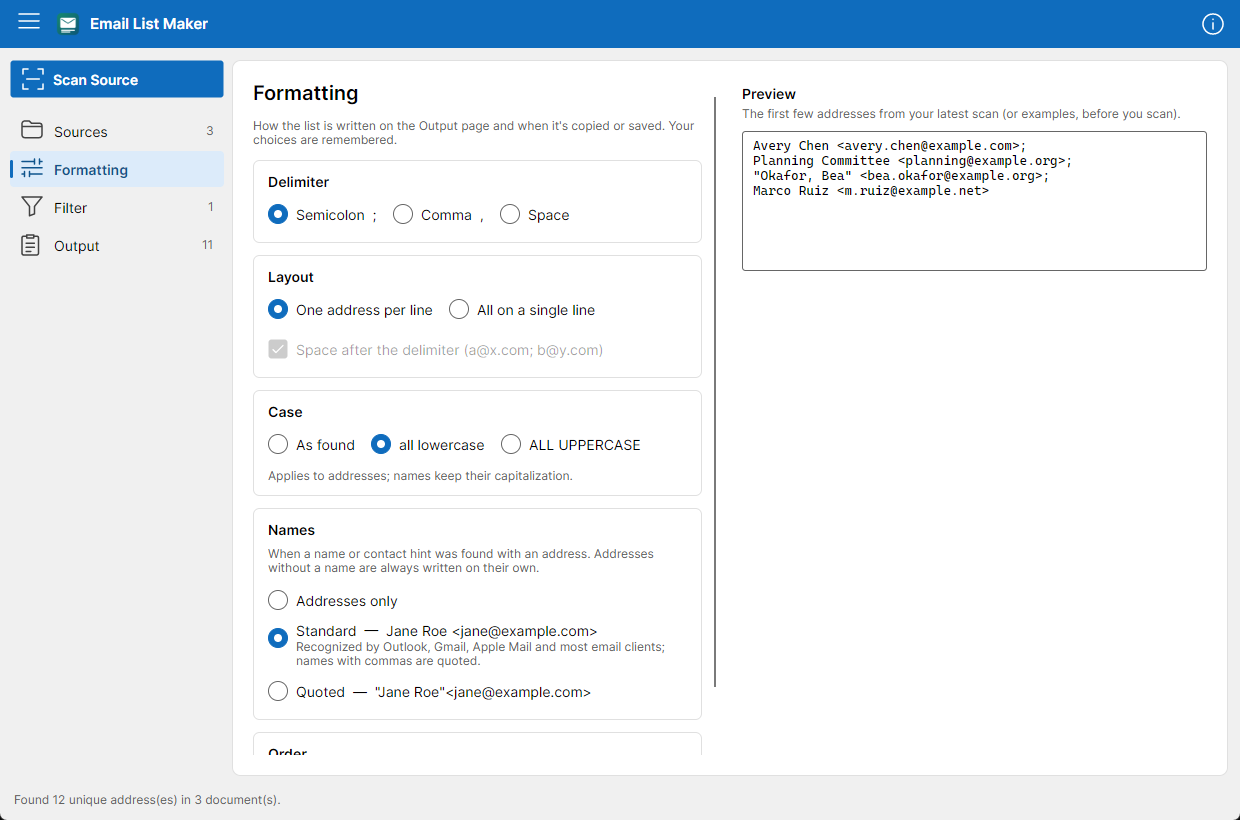
Pick a delimiter, one address per line or all on one, the case, and whether to include names. Then copy the whole list, or save it as a text file.
// take a look
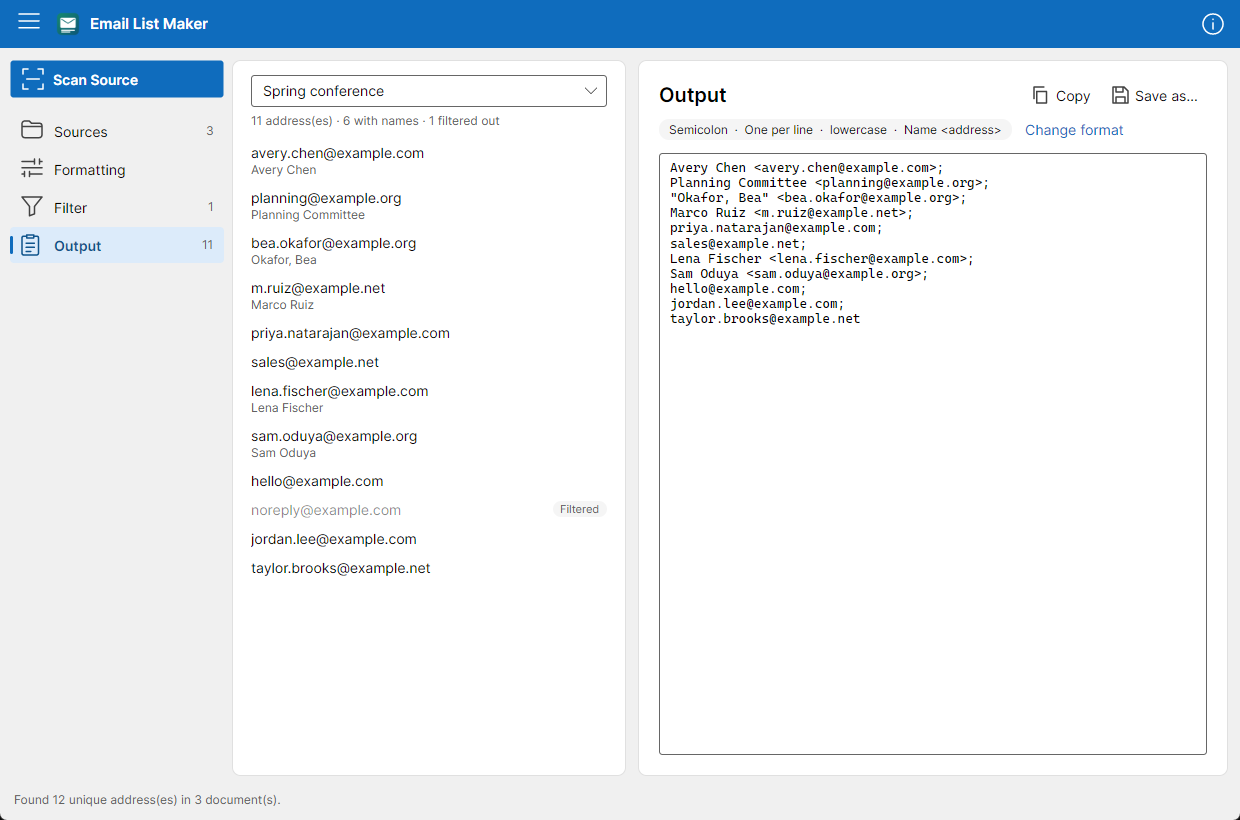
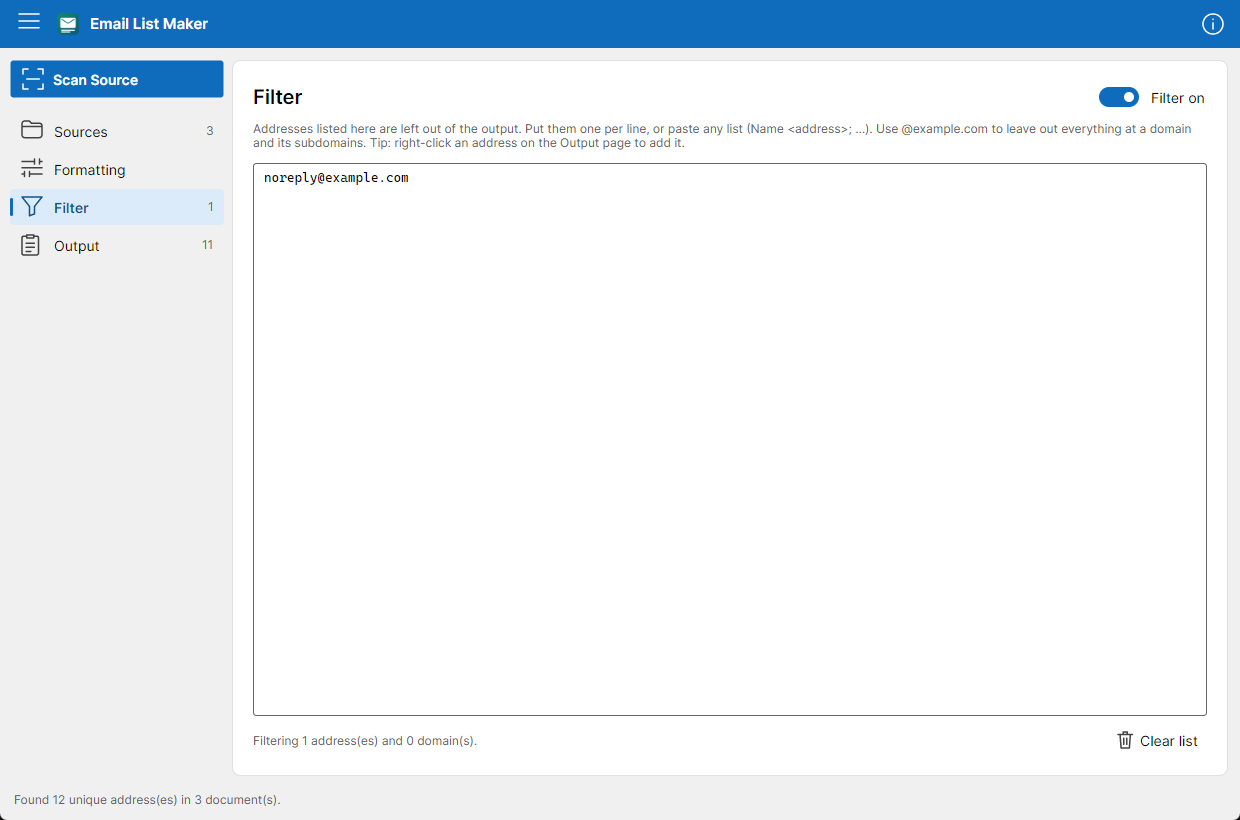
Sources, formatting, a filter and the output, each one click away.
// features
Text, HTML, CSV, PDF, Word, Excel, PowerPoint, OpenDocument, RTF, saved emails and contact cards from your computer; pages from the web; or text you paste straight in. Add several at once and keep them together as a source.
When a name sits with an address it's kept: in email headers, in web page links, in contact cards and in spreadsheet name columns.
"Okafor, Bea" <bea.okafor@example.org>
Marco Ruiz <m.ruiz@example.net>
Semicolons, commas or spaces; one per line or a single line; as found, lowercase or UPPERCASE; names in the standard form every email client understands, or always quoted.
Keep noreply@ addresses, your own team or a whole @domain out of every list. Right-click any address to add it.
Copy the whole list in one click, select just part of it, or save it as a text file wherever you like.
Every address is checked against the rules for email addresses, so stray punctuation, broken fragments and image names like logo@2x.png stay out. Capitalization doesn't create duplicates.
No account, no sign-in, no tracking. Your sources and lists stay on your computer, in the app's own private folder.
// reads
PDFs are read for their text; scanned pages (pictures of text) aren't.
// privacy
Email List Maker doesn't collect anything, and it has nothing to send. Read the privacy statement.
// download
Self-contained: nothing else to install first. On Windows and macOS it comes from the app stores, which keep it up to date.
Windows 10 (1809) and later, x64 and Arm64.
Microsoft StoremacOS 14 Sonoma and later, Apple silicon.
Mac App Storex64 and Arm64 distributions with glibc. Unpack, then run install-desktop-entry.sh to add it to your menu.
Use your lists responsibly and follow the anti-spam and privacy laws that apply to you, such as CAN-SPAM, GDPR and CASL.